
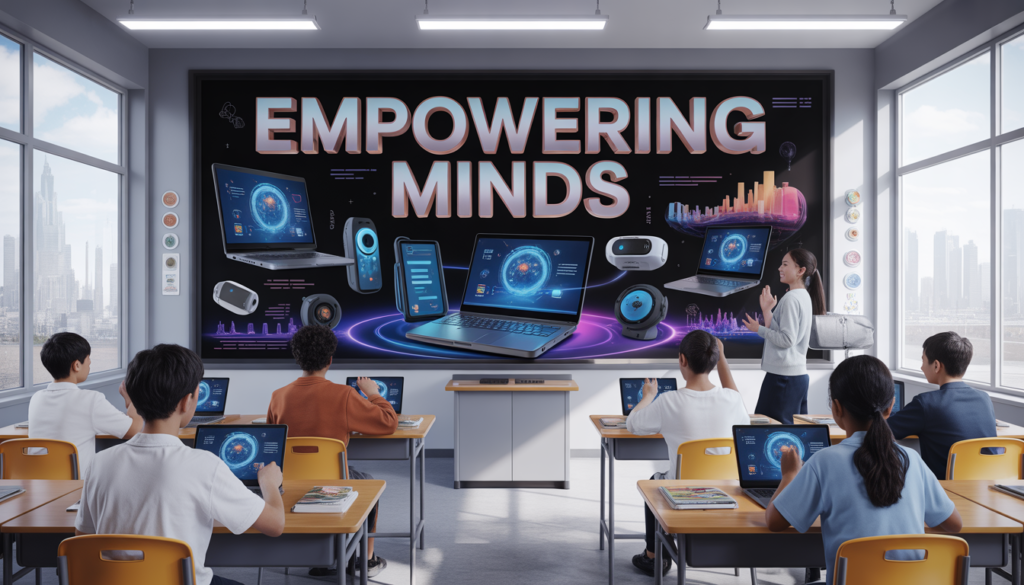

If you think education still looks like dusty chalkboards, sleepy lectures, and students secretly drawing cartoons in notebooks… well, welcome to 2026. Things have changed. A lot.
Today’s classroom is part physical, part digital, and part “wait, did my homework just grade itself?” kind of magical. Education technology tools are no longer optional—they’re basically the backpack every student carries, even if it’s all inside a laptop or phone.
And no, this isn’t about replacing teachers or turning students into robots who only talk in AI-generated essays. It’s about making learning easier, faster, more interactive, and (thankfully) less boring.
So let’s explore the education technology tools every student should know in 2026—explained simply, with a bit of humor, and zero complicated tech jargon that makes your brain ask for a vacation.
Why Education Technology Matters More Than Ever in 2026
Before jumping into tools, let’s quickly understand why they matter.
Education is no longer limited to classrooms. Students now learn:
- From home
- From mobile phones
- From virtual classrooms
- Even from AI tutors that never get tired (unlike humans during Monday morning lectures)
Technology has made learning:
- More flexible
- More personalized
- More interactive
- And sometimes… dangerously addictive (yes, YouTube “study with me” loops, we’re looking at you)
In simple words: studying in 2026 is like upgrading from a bicycle to a smart electric scooter. Same destination, smoother ride.
1. AI Study Assistants: Your 24/7 Brain Sidekick
AI study assistants are basically the new best friends of students. They don’t sleep, don’t complain, and don’t say “this is in the syllabus” without explaining it.
What they do:
- Explain complex topics in simple language
- Summarize textbooks
- Help with homework
- Generate practice questions
- Even help revise before exams
Why students love them:
Because they turn “I don’t understand this” into “Ohhh… that’s actually simple.”
Popular uses:
- Writing essay outlines
- Solving math step-by-step
- Learning languages faster
- Preparing for exams in less time
But remember: if you ask it to do your entire homework while you watch TV… your brain might file a complaint later during exams.
2. Smart Note-Taking Apps: Goodbye Messy Notebooks
Gone are the days of losing notes under your bed or discovering last semester’s “important notes” covered in mystery stains.
Smart note-taking apps are now essential.
Features:
- Handwriting recognition
- Voice-to-text conversion
- Cloud syncing
- Auto-organization by topic
- Searchable notes (yes, like Google for your brain)
Why they matter:
Because flipping 200 pages looking for one line is not a personality trait—it’s a problem.
Popular benefits:
- Organize lecture notes instantly
- Record and replay lectures
- Attach images, PDFs, and links
- Share notes with classmates
| Feature | Benefit |
|---|---|
| Cloud Sync | Access notes anywhere |
| Voice Notes | No typing during fast lectures |
| Search Tool | Find anything in seconds |
| Tags/Folders | Organized chaos |
In 2026, if your notes are still paper-only, you’re basically playing the game on “hard mode.”
3. Virtual Classrooms: School Without the School Bus Drama
Virtual classrooms are now fully mainstream. Students can attend classes from anywhere—bed, couch, café, or even while pretending to be “super focused” in a library.
What they offer:
- Live video classes
- Interactive whiteboards
- Chat-based discussions
- Recorded sessions for revision
Why students love them:
Because “camera off” has become a powerful emotional support system.
Key benefits:
- No commuting stress
- Replay lessons anytime
- Global classrooms
- Easy collaboration
But let’s be honest—virtual classes also come with challenges like:
- “You’re muted” moments
- Wi-Fi suddenly becoming your biggest enemy
- Accidentally sending emojis to the entire class
Still, they are a major part of modern education.
4. AI Language Learning Apps: Talk Like a Pro Without Panic
Learning languages in 2026 is easier than ever. You don’t need thick grammar books or awkward pronunciation sessions in front of a classroom.
These apps help you:
- Practice speaking with AI tutors
- Improve pronunciation
- Learn vocabulary through games
- Translate instantly in real time
Why students love them:
Because you can practice Spanish, French, or Mandarin without feeling judged by humans.
Fun features:
- Real-time conversation simulations
- Speech correction feedback
- Daily challenges
- Gamified learning levels
Imagine this: you’re practicing English, and the app politely says, “Nice try, but let’s fix that sentence before your future boss sees it.”
5. Digital Libraries: Infinite Books, Zero Dust
Digital libraries are like magic portals. Except instead of wizards, you get PDFs, audiobooks, and research papers.
What they offer:
- Millions of books online
- Academic journals
- Audiobooks for multitaskers
- Instant downloads
Why they matter:
Because carrying 5 heavy books is only fun in movies, not reality.
Advantages:
- Access anywhere
- Search inside books
- Save notes and highlights
- Eco-friendly learning
| Traditional Library | Digital Library |
|---|---|
| Physical books | E-books |
| Limited copies | Unlimited access |
| Travel required | Access from home |
| Closing hours | 24/7 availability |
Basically, digital libraries are like a buffet—except for knowledge instead of food.
6. Productivity & Focus Apps: Because TikTok Exists
Let’s be honest. Students don’t struggle with studying. They struggle with distractions.
Productivity apps help students stay focused and manage time better.
Features:
- Pomodoro timers
- Focus tracking
- App blockers
- Task planners
- Daily goals
Why they are essential:
Because “I’ll study in 5 minutes” is the most dangerous sentence in student history.
Popular benefits:
- Better time management
- Reduced distractions
- Increased focus
- Study discipline
A typical session looks like:
- 25 minutes studying
- 5 minutes break
- 2 hours wondering where the break went
7. Online Collaboration Tools: Group Projects Without Tears
Group projects used to mean stress, confusion, and one person doing all the work.
Now, collaboration tools make teamwork actually… work.
What they allow:
- Real-time editing
- File sharing
- Group chats
- Video meetings
- Task assignments
Why students love them:
Because “Who is doing the project?” becomes a trackable responsibility instead of a mystery.
Key features:
- Shared documents
- Version control
- Commenting systems
- Deadline tracking
| Feature | Benefit |
|---|---|
| Real-time editing | No more waiting turns |
| Task assignment | Clear responsibilities |
| Chat integration | Faster communication |
| Cloud storage | No lost files |
Now, if someone doesn’t do their part, it’s no longer “I forgot.” It’s officially recorded evidence.
8. Educational Video Platforms: Learning That Doesn’t Feel Like Learning
Videos are one of the most powerful learning tools in 2026.
What they offer:
- Animated explanations
- Expert lectures
- Interactive quizzes
- Step-by-step tutorials
Why students prefer them:
Because watching is sometimes easier than reading a 50-page textbook.
Benefits:
- Visual learning support
- Easy understanding of complex topics
- Flexible pacing
- Replay options
Let’s be honest: sometimes one good video explains more than three chapters and a motivational speech combined.
9. AI-Powered Exam Prep Tools: Study Smarter, Not Harder
Exams in 2026 are less about memorizing everything and more about understanding concepts.
AI exam prep tools help students:
Features:
- Generate practice tests
- Predict weak areas
- Provide revision schedules
- Offer mock exams
Why they matter:
Because studying blindly is like driving without GPS—you might get somewhere, but probably not where you wanted.
Benefits:
- Personalized learning plans
- Faster revision
- Better scores
- Confidence boost before exams
And yes, they can even say: “You should revise this topic again.”
Which is slightly annoying… but very accurate.
10. AR & VR Learning Tools: When Education Becomes an Experience
Augmented Reality (AR) and Virtual Reality (VR) have turned learning into something you can actually experience.
Examples:
- Walking inside a human cell
- Exploring ancient civilizations
- Virtual science labs
- 3D math models
Why students love it:
Because history feels less like memorizing dates and more like time travel.
Benefits:
- Immersive learning
- Better retention
- Hands-on experience
- Safe simulations for experiments
Imagine studying space while “floating” through galaxies—without needing astronaut training or leaving your room.
11. Smart Flashcard Apps: Memory Training Made Easy
Flashcards are old-school—but now they’ve gone digital and smart.
Features:
- Spaced repetition
- Auto-generated cards
- Progress tracking
- Gamified learning
Why they work:
Because your brain remembers better when it’s tested repeatedly, not when it’s overloaded the night before exams.
Benefits:
- Better memory retention
- Quick revision
- Fun learning process
- Portable study tool
Think of it as gym training—but for your brain.
12. Cloud Storage Tools: Never Lose Your Homework Again
Cloud storage is like a magical locker in the sky.
What it does:
- Stores files online
- Syncs across devices
- Shares documents instantly
- Keeps backups safe
Why it matters:
Because “my file got deleted” is no longer a valid excuse.
Benefits:
- Safe backups
- Easy access anywhere
- Collaboration made simple
- No USB drama
In 2026, if your assignment is lost, it’s probably not lost—it’s just not synced.
Final Thoughts: Learning in 2026 Is Smarter, Faster, and a Bit More Fun
Education technology in 2026 isn’t just about tools—it’s about transforming how students learn, think, and grow.
From AI tutors to VR classrooms, everything is designed to make learning:
- More engaging
- More accessible
- More personalized
- And slightly less stressful (except exam season… that’s still scary)